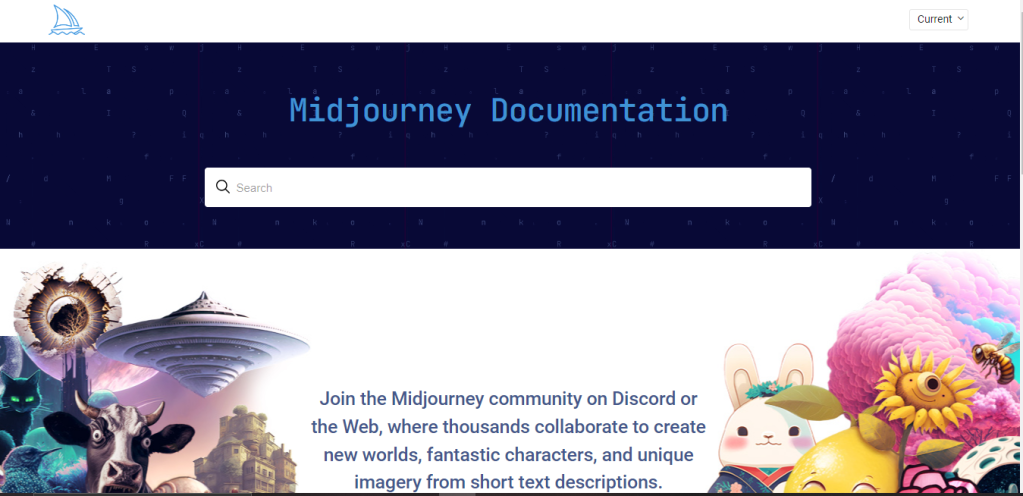
Are you ready to dive into the world of AI-generated art? MidJourney AI is your gateway to creating stunning AI-powered images effortlessly. In this step-by-step guide, we’ll explore how to unleash your creativity with MidJourney AI and answer some common questions along the way.
Step 1: Accessing ModJourney AI:
To get started, head over to the MidJourney AI website (https://www.midjourney.com/home/?callbackUrl=%2Fapp%2F). Ensure that your device meets the system requirements, and you’re ready to embark on your creative journey.
Step 2: Navigating the ModJourney AI Interface:
Navigating the MidJourney AI interface is user-friendly. When you access the platform, you’ll find a well-organized interface with clear menus and options. Familiarize yourself with the layout, which typically includes sections for uploading images, customization settings, and the “Generate” button. This intuitive design makes it easy to explore and use MidJourney AI effectively for your creative projects.
Step 3: Log In To Discord:
Access the Midjourney Bot through Discord via web browser, mobile app, or desktop app. Ensure you have a verified Discord account before joining the Midjourney Discord server.
Follow these guides to create or verify your Discord account:
Create Discord Account
Verify Discord Account
Step 4: Subscribe To The Midjourney Plan:

To start generating images with Midjourney, you’ll need to subscribe to a plan.
- Visit Midjourney.
- Sign in using your verified Discord account.
- Choose a subscription plan that suits your needs.
Step 5: Accept The Terms:
Before generating any images, the Midjourney Bot will prompt you to accept the Terms Of Service. You must agree to these terms to proceed with image creation.
Step 6: Image Generation:
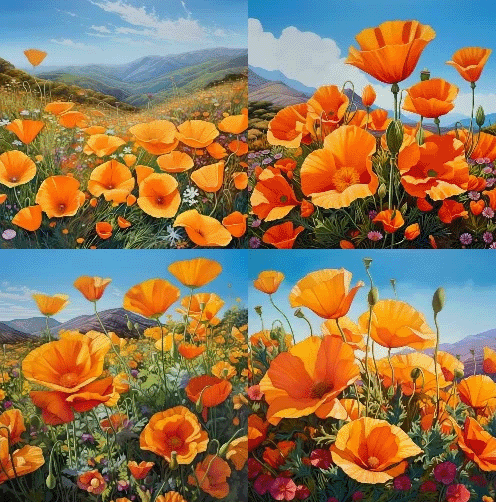
After submitting a text prompt, the Midjourney Bot processes your request, creating four unique image options within a minute. This process utilizes advanced Graphics Processing Units (GPUs), and each image generation counts towards the GPU time included with your Midjourney subscription. To monitor your available GPU time (Fast Time Remaining) use the /info command.
Step 7: Use MidJourney AI:
Using MidJourney AI is a creative and straightforward process. Here are the essential steps:
- Upload Your Image: Start by uploading the image you want to transform into AI art. MidJourney AI supports various image formats.
- Customize Your Art: Enhancing or modifying your image with MidJourney is a creative journey in itself. After uploading your image, delve into the customization options. You can adjust various parameters, such as styles, colors, and effects, to transform your image into a unique work of art that suits your vision. Experiment with these settings until you achieve the desired modification. MidJourney offers a range of dynamic variations to enhance your creative process. Among these are zooming options, including “Zoom In” and “Zoom Out.” “Zoom In” allows you to focus on specific details of your image, highlighting intricate elements. On the other hand, “Zoom Out” provides a broader perspective, capturing the overall composition.
- Generate AI Art: Click the “Generate” button, and let MidJourney AI work its magic. In just moments, your AI art will be ready for download.
- Save and Share: Once satisfied with the result, save your masterpiece with the right click to your device and share it with the world. On mobile, long-tap the image and then tap the download icon in the top right corner. MidJourney AI makes it easy to unleash your creativity and turn your images into unique works of art.
Optimizing for SEO:
To make the most of your ModJourney AI experience, don’t forget to optimize your images for SEO. Use relevant keywords, clear headings, and provide valuable content for your readers.
Conclusion:
Congratulations! You’ve now learned how to use ModJourney AI to create stunning AI-generated art. Whether you’re an aspiring artist or simply looking to explore the world of AI creativity, ModJourney AI offers a user-friendly platform to bring your visions to life.
Unlock your artistic potential with ModJourney AI today. Start your creative journey and share your AI art with the world!
Additional FAQs:
1. How to use /image Command?
Interact with the Midjourney Bot on Discord using a Command. Commands are used to create images, change default settings, monitor user info, and perform other helpful tasks. The /imagine command generates a unique image from a short text description.
- Type ‘/imagine prompt:’ in the message field. You can also select the
/imaginecommand from the list of available slash commands that pop up when you type ‘/’. - Type a description of the image you want to create in the
promptfield. - Send your message. The Bot will interpret your text prompt and begin generating the images.

2. How do I convert an image to AI art using ModJourney?
Converting an image to AI art with ModJourney is an exciting creative process. Begin by uploading the image you wish to transform into a unique masterpiece. Once your image is uploaded, explore the customization options provided by ModJourney AI. Adjust styles, colors, and other parameters to achieve the desired artistic effect. After fine-tuning your settings, simply click the “Generate” button, and ModJourney AI will instantly process your image, turning it into captivating AI art. This transformed artwork can then be downloaded and shared, allowing you to breathe new life into your existing images and explore endless artistic possibilities. ModJourney AI makes the process of converting images into AI art accessible and enjoyable for artists of all levels.

 AI Hub
Leave a comment